LoRaWAN Energy Monitoring and Smart Power Control
Telemetry2U combines LoRaWAN energy monitoring, smart power point control and equipment automation in one platform. Start with a plug-in LoRaWAN smart socket for suitable appliances—without hard-wiring—or scale to meter, current transformer and circuit-level monitoring across buildings and remote sites.
Simple Plug-In Control, Scalable Energy Monitoring
A compatible smart socket can be deployed by plugging it into a suitable outlet and connecting the appliance. Review energy use over days, weeks, months or years, then control equipment manually, on schedules or from alert events generated by other LoRaWAN sensors.
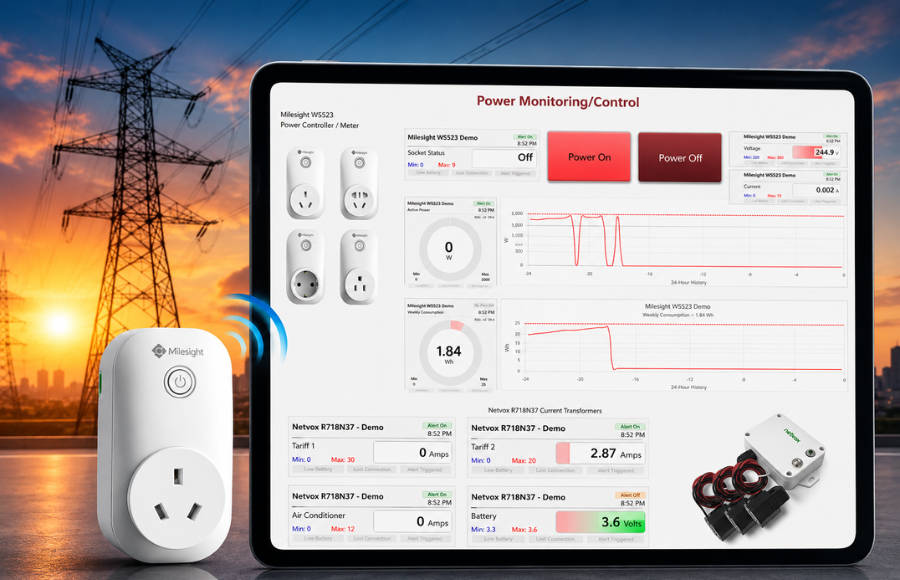
Start with a Plug-In Smart Socket or Scale to Site-Wide Energy Monitoring
A LoRaWAN smart socket provides a straightforward way to monitor and control a compatible plug-in appliance. The same Telemetry2U platform can also support pulse readers, current transformer sensors, energy meters and circuit-level controllers where broader electrical monitoring is required.
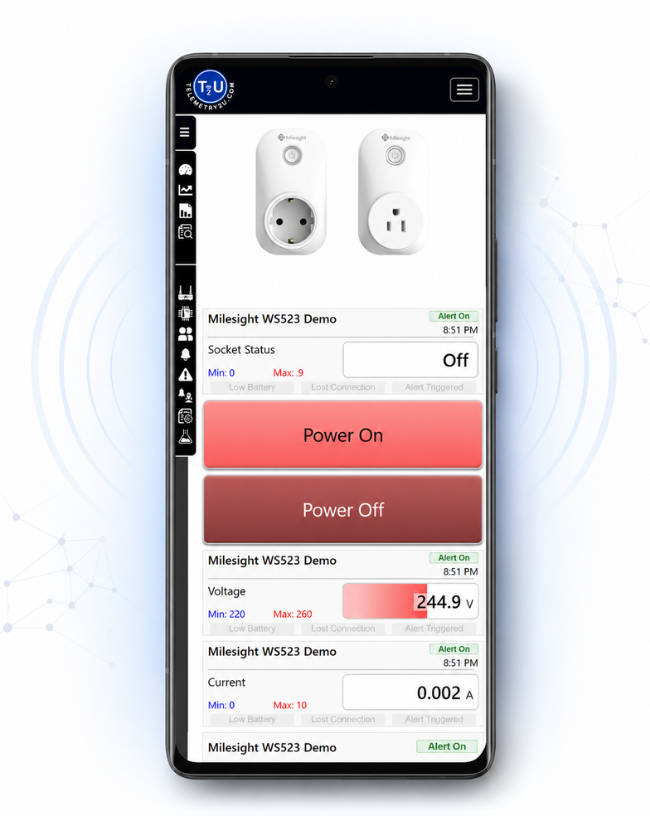
Energy Monitoring and Power Control Without Rewiring the Appliance
For a suitable plug-in appliance, deployment can be as simple as plugging the smart socket into the outlet, connecting the appliance and configuring the device for the LoRaWAN network. No hard-wiring is required for the plug-in socket itself.
- Monitor supported electrical values: View voltage, current, active power, accumulated energy, power factor and operating state where provided by the selected hardware.
- Review live and historical data: Use responsive dashboards, charts and device tables to understand how a load behaves over time.
- Compare reporting periods: Analyse energy use over days, weeks, months, years or custom date ranges using Period Statistics.
- Control compatible equipment: Switch a smart socket, relay or controller from an authorised dashboard button.
- Run scheduled commands: Turn equipment on or off at selected times, on chosen days or at recurring intervals.
- Respond to other sensors: Trigger equipment from soil moisture, temperature or other LoRaWAN alert and recovery events.
- Scale beyond one appliance: Add meter pulse readers, current sensors, circuit monitoring and more sites without changing platforms.
- Identify unexpected operation: Use alerts and historical trends to investigate unusual loads, after-hours use or equipment behaviour.
Plug-in devices must be used within the manufacturer's electrical ratings. Fixed meters, current transformers and circuit-control hardware should be selected and installed by appropriately qualified personnel.
Analyse Energy Usage with Live Dashboards and Period Statistics
Use the dashboard for current operating visibility, then move into charts, data tables and Period Statistics when you need to compare energy consumption across equipment, circuits, reporting periods or sites.
Current Readings and Historical Power Trends
The power dashboard brings compatible energy meters, current sensors and smart power-control devices into one responsive view. Readings update as new data arrives from each LoRaWAN device.
Compare Days, Weeks, Months and Years
Period Statistics summarises selected inputs across preset or custom date ranges. This makes it easier to compare operating schedules, after-hours loads, seasonal changes, equipment performance and longer-term consumption.
- View voltage, current, active power, accumulated energy and other supported values.
- Examine current conditions alongside historical charts and device status.
- Compare daily, weekly, monthly, yearly or custom reporting periods.
- Generate totals, averages, minimums, maximums and standard deviation where applicable.
- Compare shared inputs across multiple meters, circuits, equipment groups or sites.
- Export structured data in Excel, CSV or PDF format for further review.
- Operate configured smart sockets and relay outputs from authorised dashboard controls.
Available measurements, calculations, retention periods and update frequency depend on the connected hardware and account configuration.
Power Monitoring and Control Dashboard
Live demonstration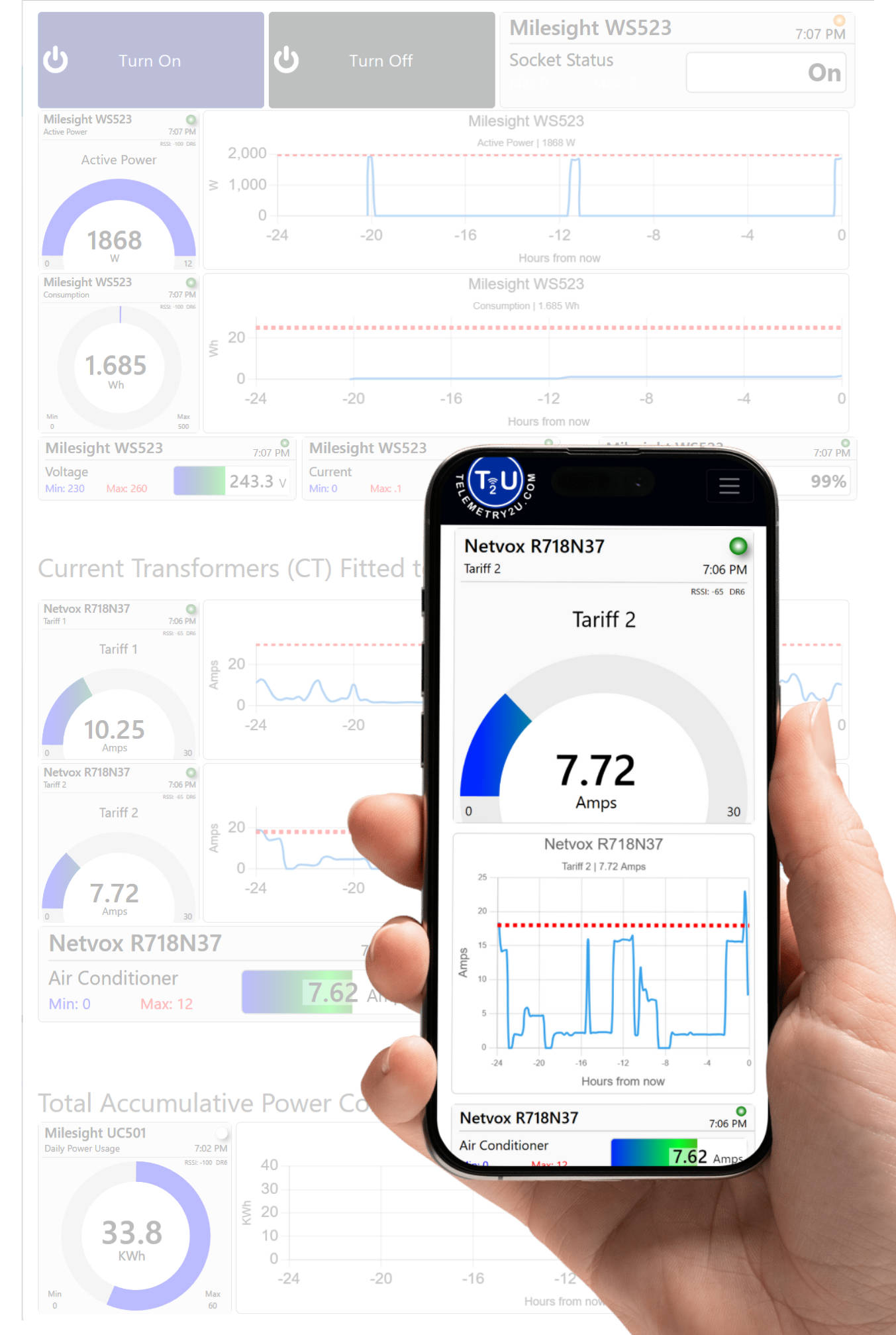
Example dashboard shown for demonstration purposes. Period Statistics, detailed tables and exports are available through the related reporting pages.
Remote Power Control, Schedules and Sensor-Triggered Automation
Compatible LoRaWAN controllers can be operated manually, run from a schedule or triggered by alert and recovery events from other connected sensors. This allows the monitoring system to support practical equipment-control workflows.
Manual Remote Power Control
Authorised users can send commands from a dashboard or command page to compatible power points, relays and controllers. This is useful for operating equipment at unattended sites or providing a controlled manual override.
- Turn compatible devices on or off from a phone, tablet or computer
- Use clear dashboard buttons for frequently used commands
- Record sent commands in the platform's command history
- Review device status feedback where supported by the hardware
- Restrict command access using configurable user permissions
Learn more about remote device command and control or see the focused LoRaWAN remote power control application .
Scheduled Power and Equipment Operation
Scheduled jobs can run action groups at defined times, on selected days or at recurring intervals. The schedule is managed in the platform, allowing operating times to be reviewed and changed without visiting the device.
- Run pumps, fans, lighting, chargers or other compatible equipment on a timetable
- Switch non-essential loads off outside operating hours
- Coordinate several commands within one ordered action group
- Apply timed output parameters where supported by the controller
- Review schedules alongside the wider monitoring configuration
Scheduled actions are configured through Telemetry2U IoT automation.
Sensor-Triggered Power Automation
An alert condition from one connected sensor can trigger commands on another compatible device. Recovery actions can then return equipment to its normal state when the monitored condition recovers.
- Start a pump or irrigator when soil moisture falls below a configured threshold
- Stop irrigation when soil moisture returns to the required range
- Turn a heater on when temperature becomes too low
- Turn the heater off when temperature rises above the configured upper limit
- Coordinate multiple compatible outputs from one alert or recovery event
Automation should complement appropriate electrical protection, equipment safeguards and onsite operating procedures. It should not replace safety interlocks or controls required by the equipment manufacturer.
Turn Energy Data into Practical Power Control
Combine LoRaWAN smart sockets, meters, current sensors and controllers with dashboards, Period Statistics, schedules and sensor-triggered actions. Start with one plug-in appliance or plan a coordinated rollout across equipment, buildings and remote sites.
LoRaWAN Energy Monitoring for Facilities, Industry and Agriculture
The same platform can support a single smart power point or a distributed energy-monitoring system across several buildings and sites. Hardware and reporting should be selected around the electrical installation, required measurements, control functions and operational risks.
Commercial and Industrial Power Monitoring
Track selected circuits and equipment across offices, workshops, warehouses and multi-building sites.
HVAC and Heating
Review load patterns, runtime and scheduled operation for heating, cooling and ventilation equipment.
Plant and Workshop Equipment
Monitor selected machines, production loads and equipment operating periods.
Lighting and General Power
Identify after-hours usage and apply schedules to compatible control hardware.
Distributed Sites
Bring energy data from separate buildings or facilities into one account and reporting workflow.
Pumps, Irrigation, Heating and Remote Equipment
Monitor and control compatible equipment where long-range wireless connectivity is more practical than new data cabling.
Irrigation Pumps
Track operating periods and coordinate pump commands with soil-moisture alerts or schedules.
Greenhouses and Nurseries
Control compatible heaters, fans, pumps or lighting in response to environmental conditions.
Remote Sheds and Infrastructure
Check equipment state and energy behaviour without relying on frequent onsite visits.
Multi-Site Operations
Apply consistent dashboards, alerts and reporting across geographically separated assets.
LoRaWAN Hardware for Electricity Monitoring and Power Control
Telemetry2U supports different hardware approaches for meter-level, circuit-level and appliance-level monitoring. The examples below are drawn from the existing Telemetry2U integration catalogue; suitability and availability should be confirmed for the required electrical measurements and installation environment.
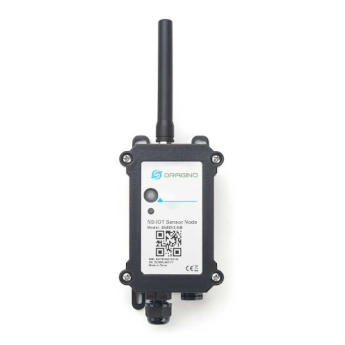
Meter Pulse Monitoring
An optical sensor can read the pulse LED on a compatible electricity meter and convert the pulse count into accumulated energy using the configured meter constant.
Useful where the existing meter provides an accessible pulse LED.
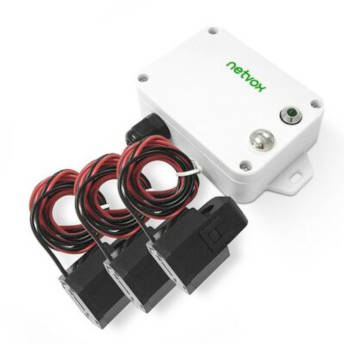
Current Transformer Monitoring
Clamp-style current transformers can monitor selected conductors or circuits without placing the measurement device directly in series with the load.
Available measurements depend on the sensor model and electrical design.
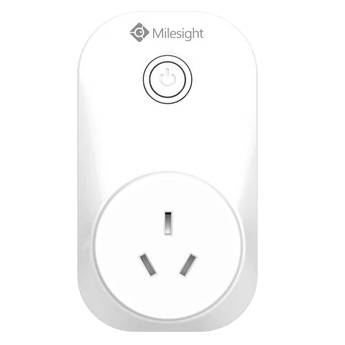
Smart Socket Monitoring and Control
A compatible LoRaWAN smart socket can measure supported appliance values and provide remote on/off control for suitable plug-connected loads.
Explore remote power control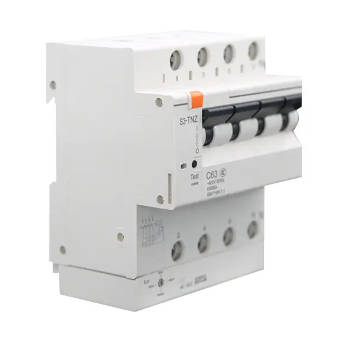
Circuit Monitoring and Control
Compatible smart breakers or relay controllers can provide circuit-level measurements and commands where the hardware, switchboard design and installation allow it.
Confirm electrical ratings, approvals and integration before deployment.
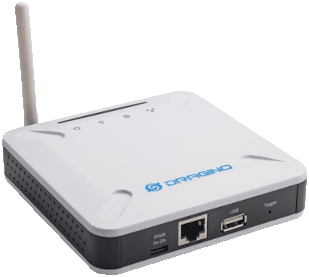
LoRaWAN Gateway and Site Coverage
A LoRaWAN gateway forwards device traffic to the Telemetry2U platform using Ethernet, Wi-Fi or another suitable backhaul. One gateway can support multiple energy-monitoring and control devices, subject to radio coverage, network design, reporting frequency and site conditions.
Fixed electrical monitoring and control equipment must be selected and installed by appropriately qualified personnel. Plug-in devices must be used within the manufacturer's electrical ratings and installation instructions.
Related Energy Monitoring and Power Control Resources
Explore the dashboard, reporting, command, automation and LoRaWAN deployment features that support the complete Telemetry2U energy monitoring system.
Monitor and Analyse
Review current conditions, historical trends, structured tables, statistical summaries and alert activity.
Control and Automate
Send commands, create schedules and coordinate equipment response from monitoring events generated by connected sensors.
LoRaWAN and Deployment
Review compatible devices, network planning, platform architecture and the wider feature set behind a scalable deployment.
LoRaWAN Energy Monitoring and Power Control FAQ
These answers cover the most common questions about LoRaWAN electricity monitoring, reporting, remote control and automation. Final capability depends on the selected hardware, electrical installation and platform configuration.
Build a LoRaWAN Energy Monitoring and Power Automation System
Tell Telemetry2U what you need to measure, which equipment you want to control, the number of buildings or sites and whether schedules or sensor-triggered actions are required. We can help assess compatible devices, gateway coverage, dashboards, reports and automation logic.
Telemetry2U operates a managed IoT platform on dedicated Australian-hosted infrastructure. Learn more about the Telemetry2U server environment .