Ultra-Low Freezer Monitoring for -80°C Sample Protection
Telemetry2U provides real-time ultra-low freezer monitoring for laboratories, hospitals, research facilities and specialist healthcare storage. Monitor -80°C ULT freezers with live dashboards, temperature alerts, historical records, calibration management and practical options for probe, alarm-contact and 4–20 mA integration.
Independent Monitoring, Ready for Critical Storage
Add continuous monitoring and remote alerting without replacing the freezer or relying only on its local display and audible alarm.
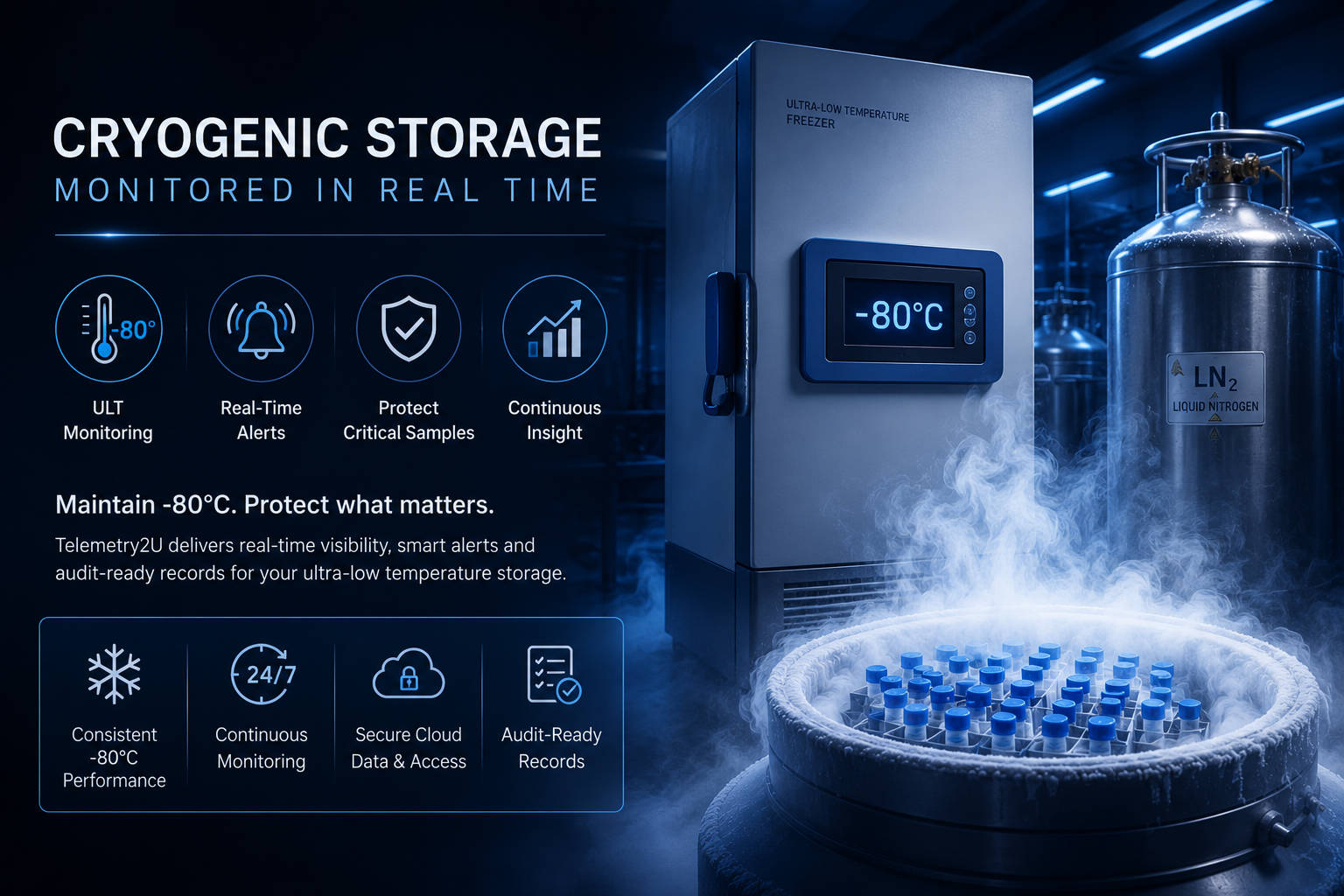
Protect Critical Samples with Continuous ULT Freezer Monitoring
A freezer display only shows the condition at the unit. Continuous remote monitoring creates a separate record of temperature, identifies excursions when staff are away and gives the response team time to investigate before a developing fault becomes a sample-loss event.
Monitoring Built Around the Risk of ULT Storage
Ultra-low freezers often hold irreplaceable biological material, research samples, reference material, reagents and other high-value inventory. Telemetry2U gives teams a central view of freezer conditions while preserving the historical data needed to review an excursion.
- Continuous temperature records: Capture readings automatically instead of relying on periodic manual checks.
- Remote alert notifications: Notify selected users when temperatures move outside configured limits.
- Historical trend review: Examine the period before, during and after an excursion.
- Alert annotations: Add investigation notes, acknowledgements and corrective actions to the event.
- Device and battery status: Check communication and monitoring health from the same platform.
- Calibration management: Keep calibration dates, certificates and device records together.
- Scalable deployment: Monitor one freezer or multiple rooms, departments and sites.
ULT monitoring can operate as a specialist extension of a broader healthcare temperature monitoring system , allowing standard medical fridges, laboratory freezers and ultra-low storage to be reviewed from the same platform.
Turn Every ULT Freezer Alert into a Traceable Response Record
An after-hours freezer alert needs more than a notification. Telemetry2U connects detection, escalation, investigation notes and reporting so teams can show what happened, who responded and what action was taken.
From Temperature Excursion to Documented Outcome
Detect
The monitoring sensor records freezer temperature and identifies when readings move outside the configured alert limits.
Notify
Alerts are sent to the selected users or escalation contacts so staff can assess the freezer and protect the stored material.

Investigate
Staff review temperature history, acknowledge the alert and add investigation notes or corrective actions to the event.

Document
Alert history, annotations and temperature data can be included in reports for internal review, quality records and audits.
Choose the Right Monitoring Method for Each ULT Freezer
Different freezer models and facilities require different installation methods. Telemetry2U can use an independent temperature probe, a freezer-provided analogue output or supporting digital inputs, depending on the equipment and the monitoring objective.
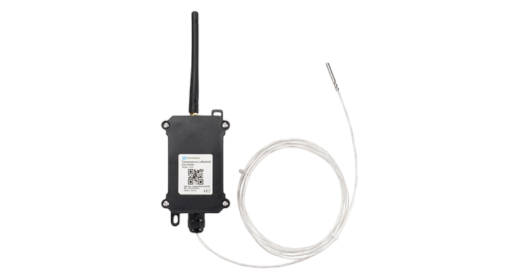
Independent Probe Monitoring
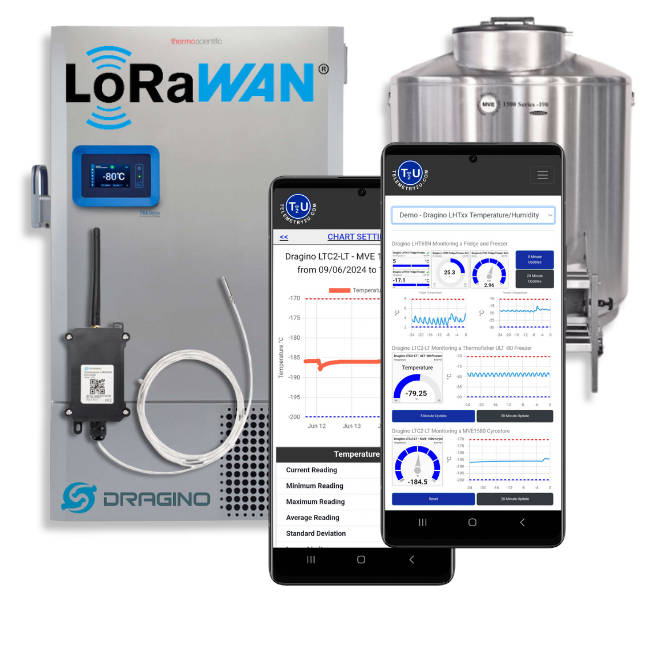
An independent RTD probe can be installed through the freezer's access port or another suitable manufacturer-approved entry point. This creates a monitoring channel that is separate from the freezer's built-in display and local alarm.
- Suitable for new and existing ultra-low freezers
- Continuous readings without depending on the freezer controller
- Long-life battery-powered wireless sensor options
- Flexible alert thresholds and delay settings
- Historical records retained in the cloud platform
The Dragino LTC2-LT LoRaWAN RTD temperature sensor is one available option for specialist low-temperature probe monitoring.
4–20 mA and Freezer Alarm Integration
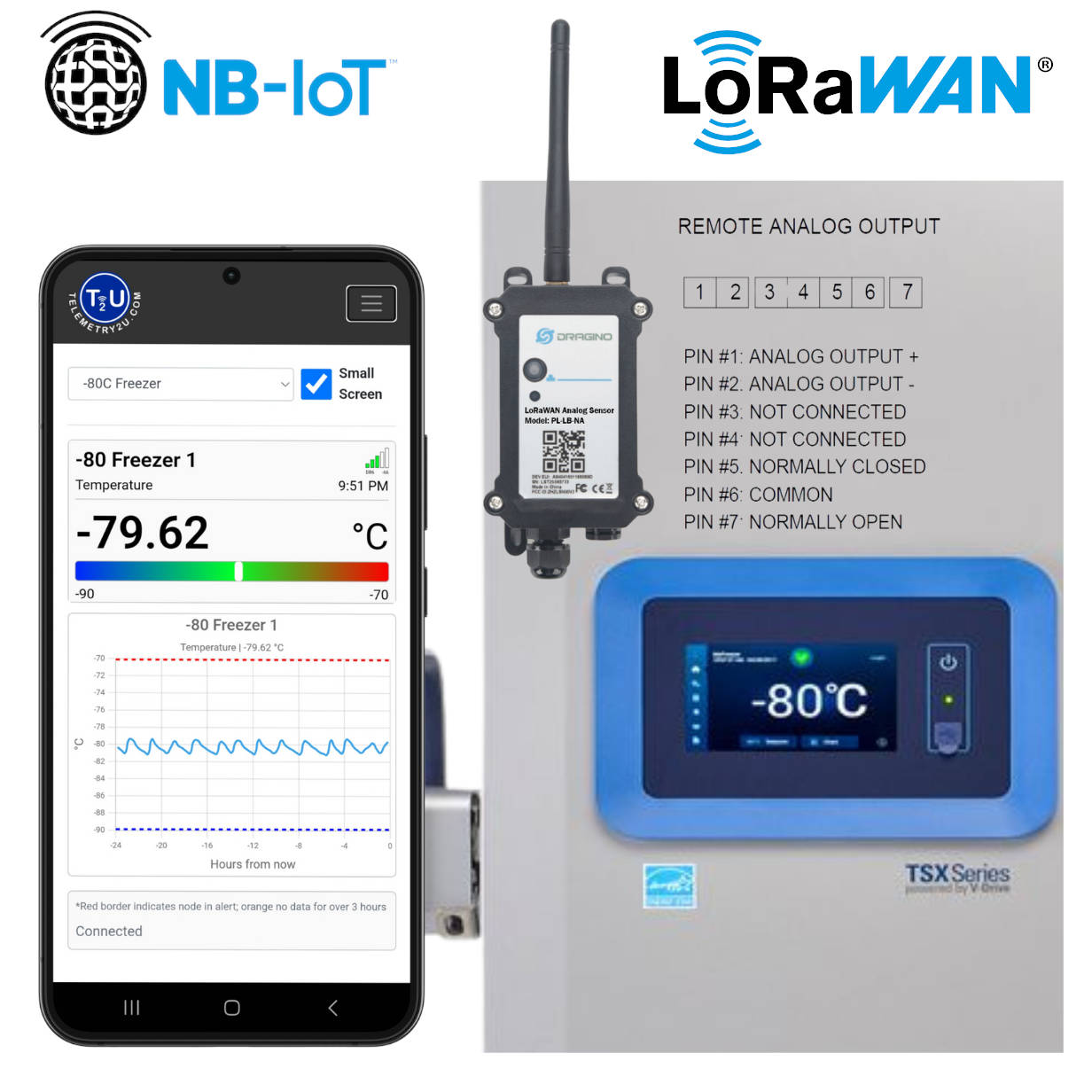
Some ultra-low freezers provide a 4–20 mA temperature output, remote alarm contacts or both. Where the freezer model supports it, these outputs can be connected to a compatible LoRaWAN or cellular input node and displayed alongside other Telemetry2U monitoring data.
- Uses the freezer's available external monitoring connection
- Can reproduce a temperature value supplied by the freezer controller
- Can capture a general freezer alarm state through dry contacts
- Non-invasive integration without placing a second probe in the cabinet
- Useful where the facility prefers controller-output monitoring
Suitable interface devices include the Dragino PS-LB-NA LoRaWAN analogue node and PS-NB-NA NB-IoT analogue node .
Door, Alarm and Power Context
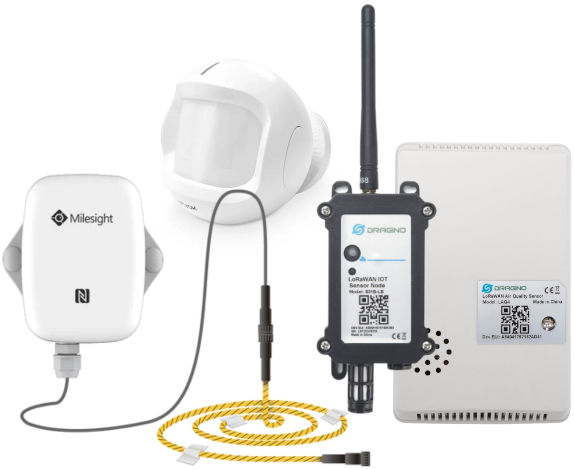
Temperature is the primary measurement, but supporting signals can make an alert easier to interpret. Where suitable sensors or equipment outputs are available, the platform can also record door activity, power state or freezer alarm contacts.
- Identify whether a door was left open before a temperature rise
- Record the duration of a door-open event
- Capture a power-loss or equipment-alarm input where configured
- Give after-hours staff more context before attending site
- Review related signals beside the temperature trend
The final monitoring design should be selected around the freezer model, access ports, available outputs, facility procedures and the response information staff need during an excursion.
A Practical Monitoring System for Existing ULT Freezers
Telemetry2U combines the sensor, wireless connectivity, cloud platform and calibration workflow needed for a maintainable installation. Systems can be supplied pre-configured to reduce onsite setup and make deployment easier for laboratory, facilities and quality teams.
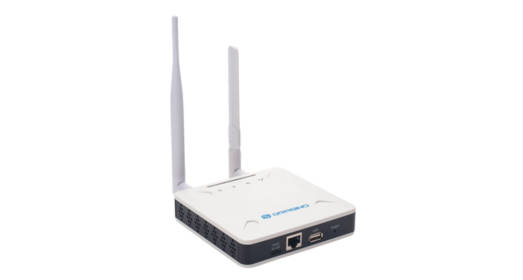
1. Wireless Gateway
A LoRaWAN gateway receives data from nearby sensors and forwards it securely to the cloud using Ethernet, Wi-Fi or a suitable cellular connection. One gateway can support monitoring across multiple freezers and laboratory areas, subject to site coverage.
View LoRaWAN gateways
2. ULT Temperature Sensor
A compatible RTD sensor measures the freezer temperature and sends readings at configured intervals. Magnetic mounting and careful probe routing help keep the external transmitter easy to access while the probe remains in the monitored space.
View the LTC2-LT sensor
3. Calibration Records
Calibration dates, due dates and certificates can be associated with the monitored device. Where required, Telemetry2U can support NATA-accredited calibration workflows to help maintain traceability evidence for quality and audit processes.
Explore calibration managementMaintain the Records Behind ULT Freezer Compliance
The monitoring record should show more than a line on a graph. Telemetry2U connects temperature history with alerts, user activity, annotations, calibration information and reports so the evidence is easier to review.
Alert History
Review threshold breaches, notification activity and event timing beside the associated temperature data.
Alert notificationsAnnotations
Attach investigation notes, acknowledgements and corrective actions to the alert event.
Adding alert annotationsAudit Reports
Generate reports that bring together monitored data and the associated response record.
IoT audit reports
Calibration Records
Keep calibration status, due dates and certificate information connected to the device record.
NATA calibration instructionsSupporting 21 CFR Part 11-Aligned Records
Telemetry2U can support controlled access, electronic records, audit history and reporting within a 21 CFR Part 11-aligned monitoring workflow. Final compliance depends on the organisation’s validation, procedures and use of the system.
See the Ultra-Low Freezer Monitoring Dashboard
Live Freezer Conditions and Historical Trends
View current temperatures, historical trends, alert status and device health from one central dashboard. The same interface can support one ULT freezer or a wider network of healthcare and laboratory assets.
Investigate Excursions with the Full Temperature Record
Teams can review the period leading into an alert, assess the duration and severity of the excursion, and compare the recovery trend after staff intervene or the freezer returns to normal operation.
- View current -80°C freezer readings and device status
- Examine historical trends over selected time periods
- Identify threshold breaches and alert activity
- Review battery condition and communication status
- Connect temperature data with annotations and reports
Temperature Monitoring Dashboard
Live demonstration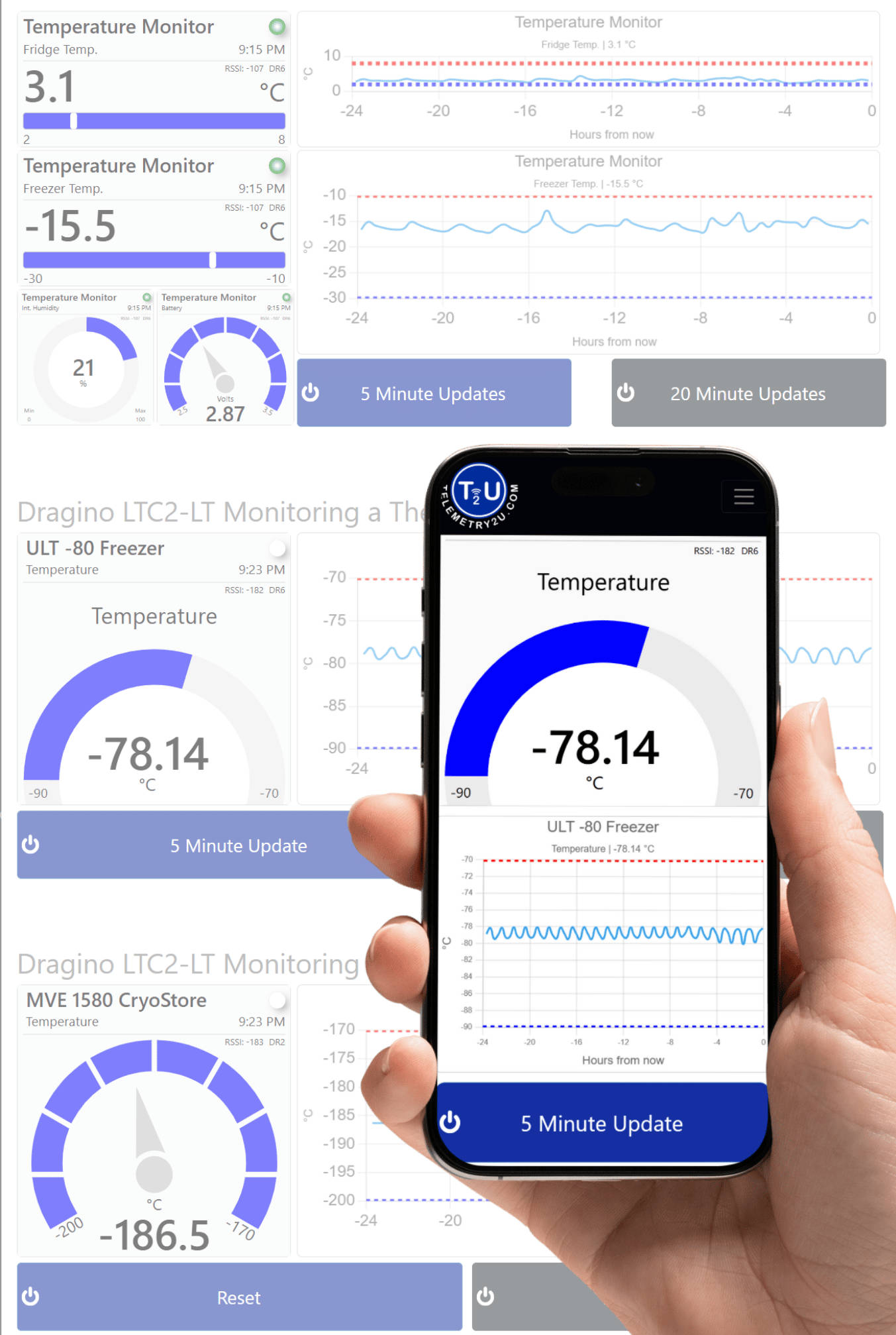
Example dashboard shown for demonstration purposes. Available readings, widgets and reporting options depend on the connected devices and monitoring configuration.
Ultra-Low Freezer Monitoring Resources
Explore the platform features, installation guidance and compliance tools that support a complete ULT freezer monitoring deployment.
Alerts and Response
Configure alert delivery and preserve the investigation record after a freezer excursion.
Calibration and Platform
Manage sensor records and review the wider platform used for ULT freezer monitoring.

Compliance and Technical Guidance
Review electronic-record controls and the wireless architecture behind the monitoring system.