Panic Button for Walk-In Fridges, Freezers and Cold Rooms
Give personnel inside a cold room a direct way to raise an alarm. Telemetry2U can connect a battery-powered LoRaWAN emergency button to persistent voice calls, SMS and email alerts, dashboards, BMS outputs, local warning devices and complementary facility monitoring.
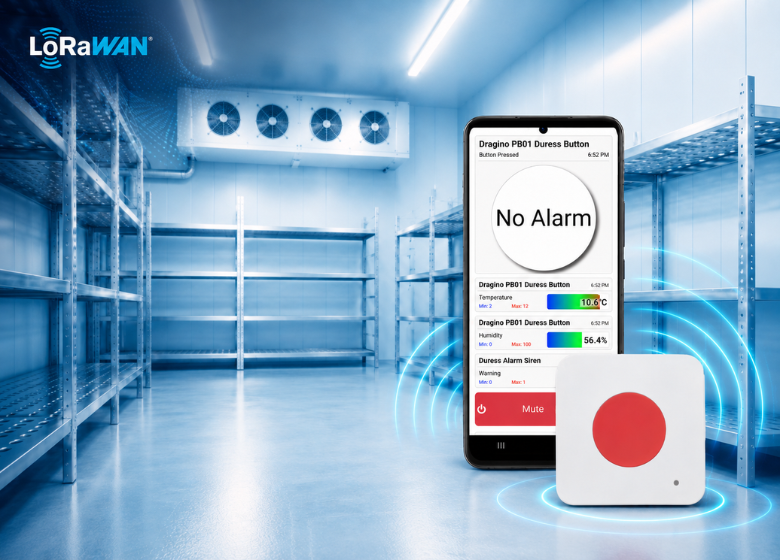
A Remote Emergency Button for Walk-In Fridges, Freezers and Cold Rooms
A walk-in fridge or freezer panic button gives a person inside the room a clear way to raise an alarm. A Telemetry2U deployment extends that event beyond the room by sending it through a wireless network to the monitoring platform, where alerts, dashboards and response records can be managed.
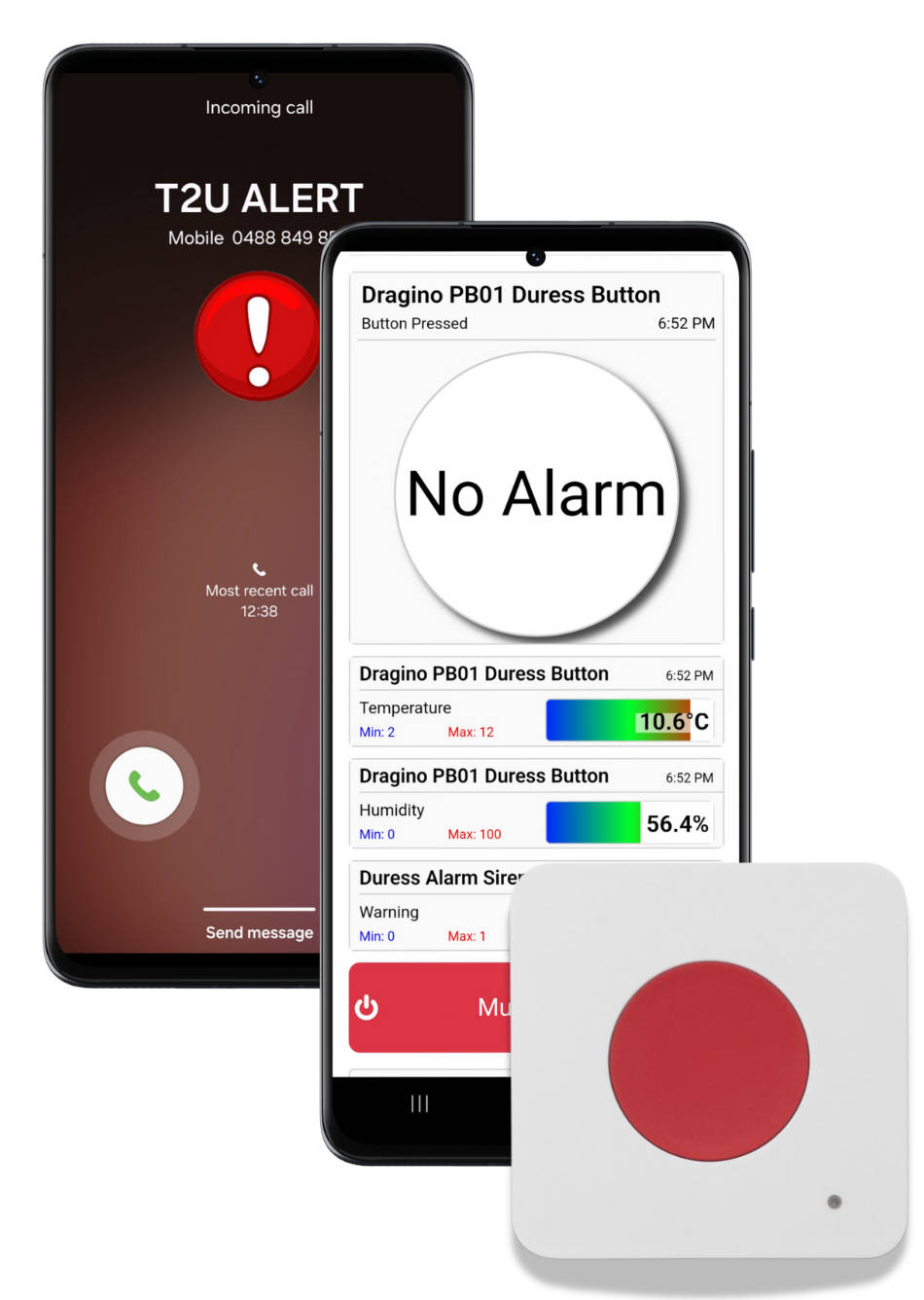
Remote Notification Should Support the Local Safety System
Conventional cold-room entrapment systems commonly use an illuminated button inside the room and an audible or visual alarm outside. LoRaWAN adds remote notification and event history, which is valuable when the nearest responder is not continuously stationed beside the room or when multiple sites are managed centrally.
- Immediate button event: Send a panic-button activation to the monitoring platform through a compatible LoRaWAN network.
- Configured responder alerts: Send configured email, SMS, voice or mobile app notifications to the selected response group.
- Local alarm integration: Trigger a compatible siren, strobe, relay or building-management-system input where the approved design requires it.
- Event records: Retain received activations and alert activity for incident review, testing and maintenance checks.
- Device-health visibility: Review battery, communications and last-seen information so a failed or inactive device is less likely to go unnoticed.
- Multi-room and multi-site monitoring: Bring buttons, temperature sensors and related plant alarms into one monitoring environment.
Remote notification should complement the local release, alarm, lighting, power and emergency procedures required for the room. Review the final design with qualified refrigeration, electrical and work-health-and-safety advisers, with reference to guidance such as WorkSafe Victoria's cold-storage safety handbook.
How a LoRaWAN Cold-Room Panic-Button Alert Works
Treat the button, radio path, alert workflow, BMS or local outputs and human response procedure as one tested system.
Press the Emergency Button
A person inside the walk-in fridge, freezer or cold room presses the clearly positioned button. The PB01 sounds locally and sends the emergency event over LoRaWAN.
Receive the LoRaWAN Uplink
A suitably positioned gateway receives the message and forwards it to Telemetry2U. Coverage is verified from the actual button location with the cold-room door closed.
Alert and Escalate
Telemetry2U records the event, sends email, SMS or app alerts and cycles persistent voice calls through priority contacts until one is acknowledged. Compatible output hardware can also signal a BMS, siren or strobe.
Acknowledge and Respond
A nominated responder acknowledges the alert, follows the workplace procedure and assists the person. The event history can then support incident notes, testing and maintenance follow-up.
Core Components of a LoRaWAN Panic-Button System
The final combination depends on the room, local alarm requirements, gateway coverage, alert workflow and systems that need the alarm signal.
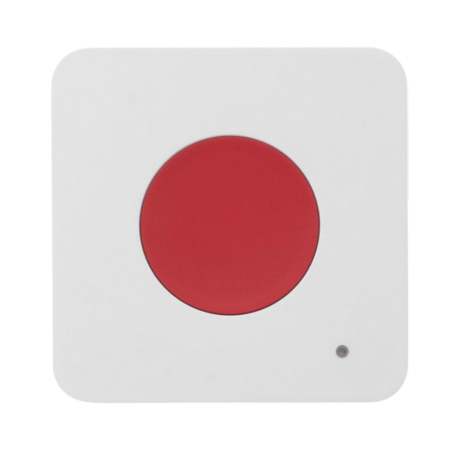
PB01 LoRaWAN Button
A battery-powered wireless push button that sends an emergency event when pressed. It can also report ambient temperature and humidity and provide local press and acknowledgement sounds when configured.
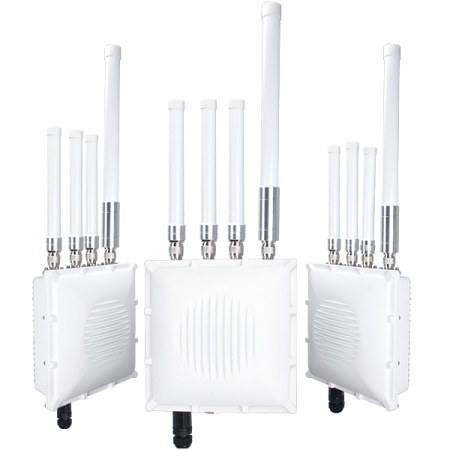
LoRaWAN Gateway
The gateway receives messages from one or more buttons and sensors. Placement is tested around insulated panels and metal doors, with protected power, cellular backhaul or overlapping gateways added where required.
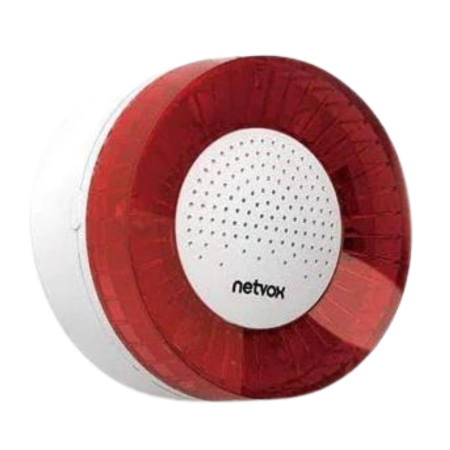
Local Siren or Strobe
A compatible output device can provide an audible or visible warning near the room or at another nominated location. Sound level, placement, reset behaviour and backup arrangements are selected for the site.
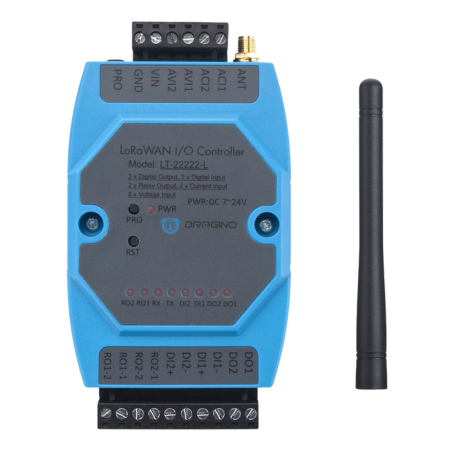
BMS and Relay Interface
A compatible I/O controller can pass the alarm state to a BMS, security panel, local indicator or approved circuit. It can also receive plant alarms or other documented inputs for the wider monitoring system.
Why LoRaWAN Suits Cold-Room Panic Buttons
The main advantage is a battery-powered button that can be installed without running data cabling into every room. The same gateway infrastructure can support additional safety and facility sensors.
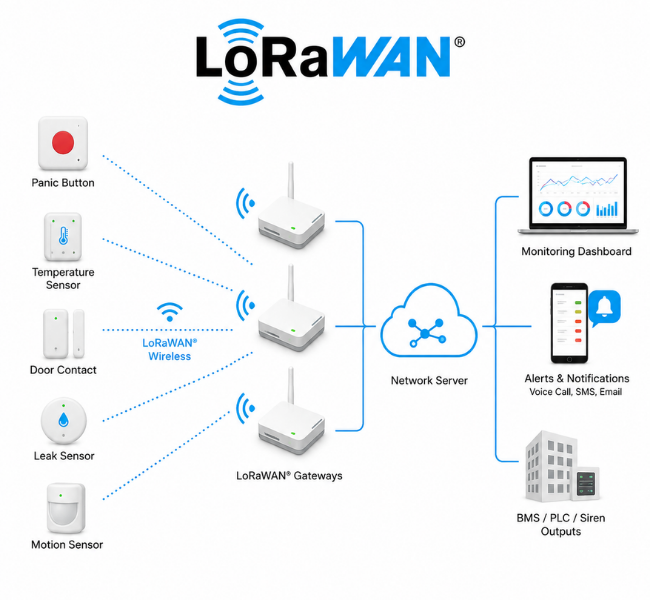
Battery-Powered Devices with Resilient Gateway Options
- Battery-powered installation: Place the button where it is reachable without installing a network cable at the device.
- Shared gateway infrastructure: Connect multiple buttons, temperature sensors, door contacts and other LoRaWAN devices through the same network.
- Protected gateway power: Use a UPS or suitable battery-backed supply where the gateway must continue through a local power interruption.
- Backup internet path: Selected gateways can use a 4G SIM or cellular router as primary or secondary backhaul when the site design requires it.
- Overlapping coverage: Add more than one gateway to improve indoor coverage and provide an alternative reception path for critical devices.
- Simple expansion: Add temperature, door, leak, power and plant-status monitoring without introducing a separate platform for each application.
Coverage should still be tested with the button installed and the cold-room door closed. Where a gateway-based network is not practical, compatible NB-IoT, LTE-M or 4G devices may suit selected standalone or mobile assets.
Extend Safety Monitoring Across the Facility
A panic button can be the starting point for a broader monitoring system. Telemetry2U brings compatible wireless sensors and equipment signals into one platform for dashboards, alerts, escalation, reports, audit history and multi-site visibility.
Environmental and Equipment Status
Protect stored products and make faults visible before the next manual inspection.
- Walk-in fridge, freezer and cool-room temperatures
- Door-open, door-state and motion sensing
- Power failure, refrigeration alarms and equipment status
- Water leaks, humidity and local environmental conditions
- Shared alerts, trends, reports and device-health information
Critical Storage, Water and Process Monitoring
Combine specialist assets and plant alarms with the same operational view.
- Ultra-low freezers, cryogenic stores and laboratories
- Morgues, mortuaries, aquariums and controlled rooms
- Water purification, tanks, levels and leak detection
- Dry contacts, relays, pulse, voltage and 4–20 mA signals
- Supported Modbus, RS-485, serial and project integrations
One Platform Across Assets and Locations
Scale from one cold room to distributed departments, campuses and mobile assets.
- Hospitals, universities, commercial kitchens and research sites
- Remote buildings, temporary storage and distributed facilities
- Refrigerated vehicles using suitable cellular monitoring devices
- Location-based dashboards, users and escalation groups
- Central reporting across departments, buildings and sites
The available measurements and controls depend on the selected sensor, equipment output and communications interface. Telemetry2U can combine standard wireless devices with documented I/O and equipment integrations where appropriate.
View Panic-Button Events and Cold-Room Conditions in One Dashboard
A deployment can present emergency-button state, alert events, battery and communications health, room temperature, door status and connected plant alarms in a dashboard configured for the site.
A Shared Operational View for Safety and Cold-Chain Monitoring
The dashboard provides context around an event without replacing the emergency response procedure. Responders can see which device activated, review the latest received status and examine related sensor data from the same room or facility.
- Button activation and event history
- Configured alert and acknowledgement information
- Battery, signal and last-seen status
- Temperature and humidity readings from connected sensors
- Door, relay, alarm-contact and plant-status inputs
- Dashboards for one room, one site or multiple facilities
Walk-In Fridge and Freezer Monitoring Dashboard
Representative interface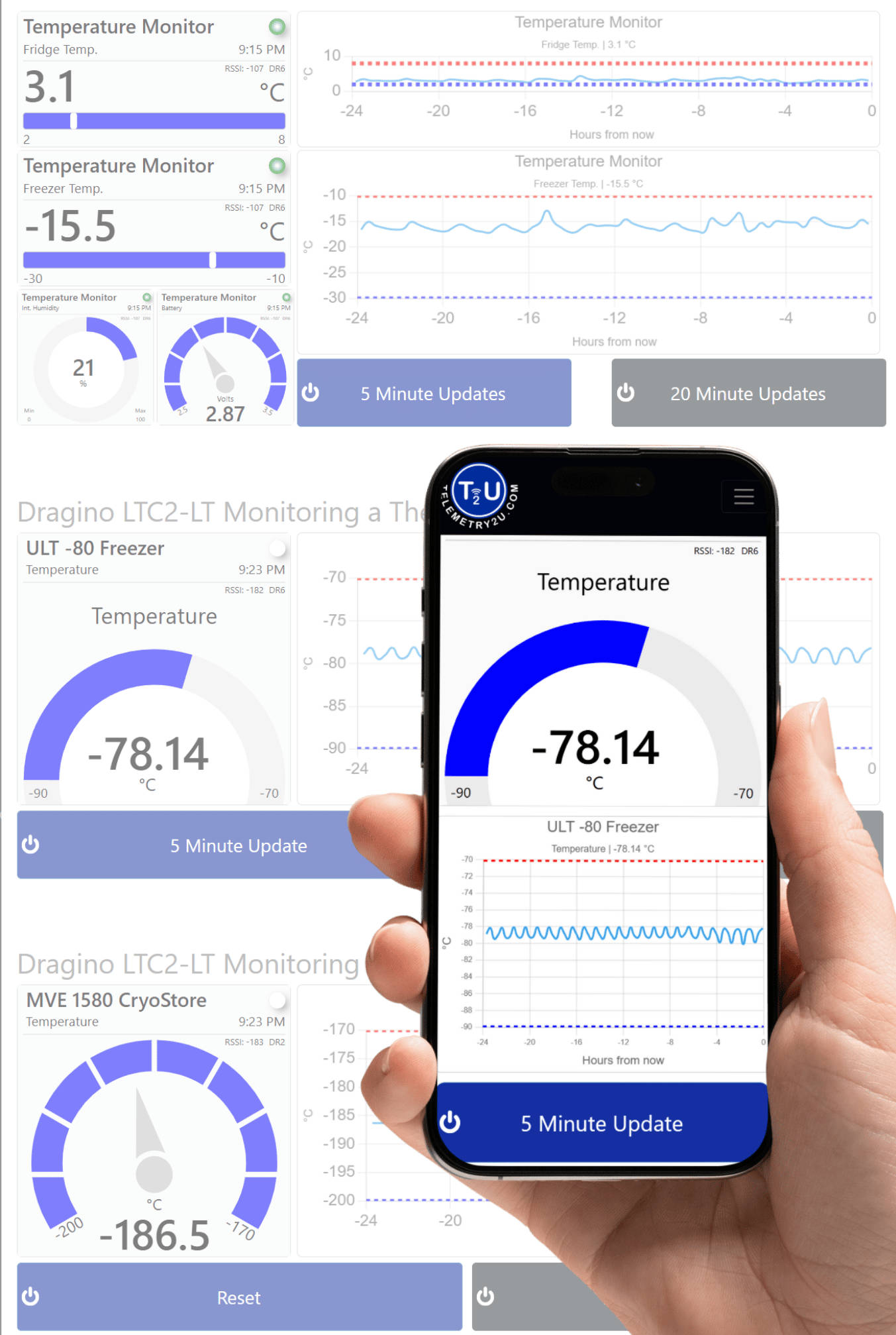
Representative dashboard using the available temperature-monitoring demonstration. Final widgets, panic-button fields, alert records and connected measurements depend on the devices and configuration selected for the site.
Walk-In Fridge and Freezer Panic-Button Resources
Use these alert, hardware and monitoring resources to plan the response path and any wider facility integration.
Alerts and Response
Review notification, dashboard and reporting tools used after a button event.
LoRaWAN and Hardware
Review the network, panic button and I/O hardware used in a typical deployment.
Wider Monitoring
Explore related cold-chain, healthcare and water-monitoring applications.