LoRaWAN Home Security and Wireless Security Monitoring
Telemetry2U connects compatible LoRaWAN, LTE-M and NB-IoT security sensors to live dashboards, configurable email, SMS and voice alerts, historical event records and device-health monitoring. Protect homes, businesses, holiday properties, sheds, gates, equipment and remote sites without depending on Wi-Fi at every sensor location.
Monitor Standard Sensors or Integrate Your Own Contacts
Combine door, motion and panic-button devices with pressure mats, alarm-panel outputs and other dry-contact sensors in one monitoring platform.
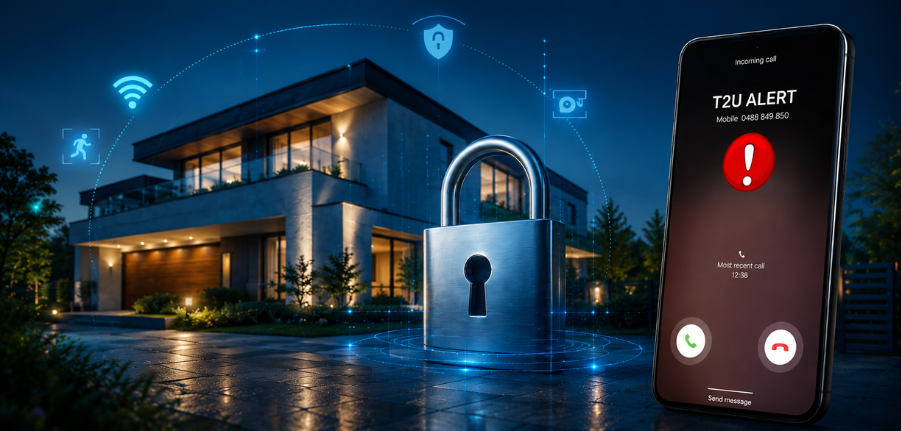
Wireless Security Monitoring for Homes, Businesses and Remote Properties
A useful security system should do more than send a single intrusion message. Telemetry2U records sensor activity, directs notifications to the right people, shows whether devices are still communicating and gives authorised users one view across one property or many sites.
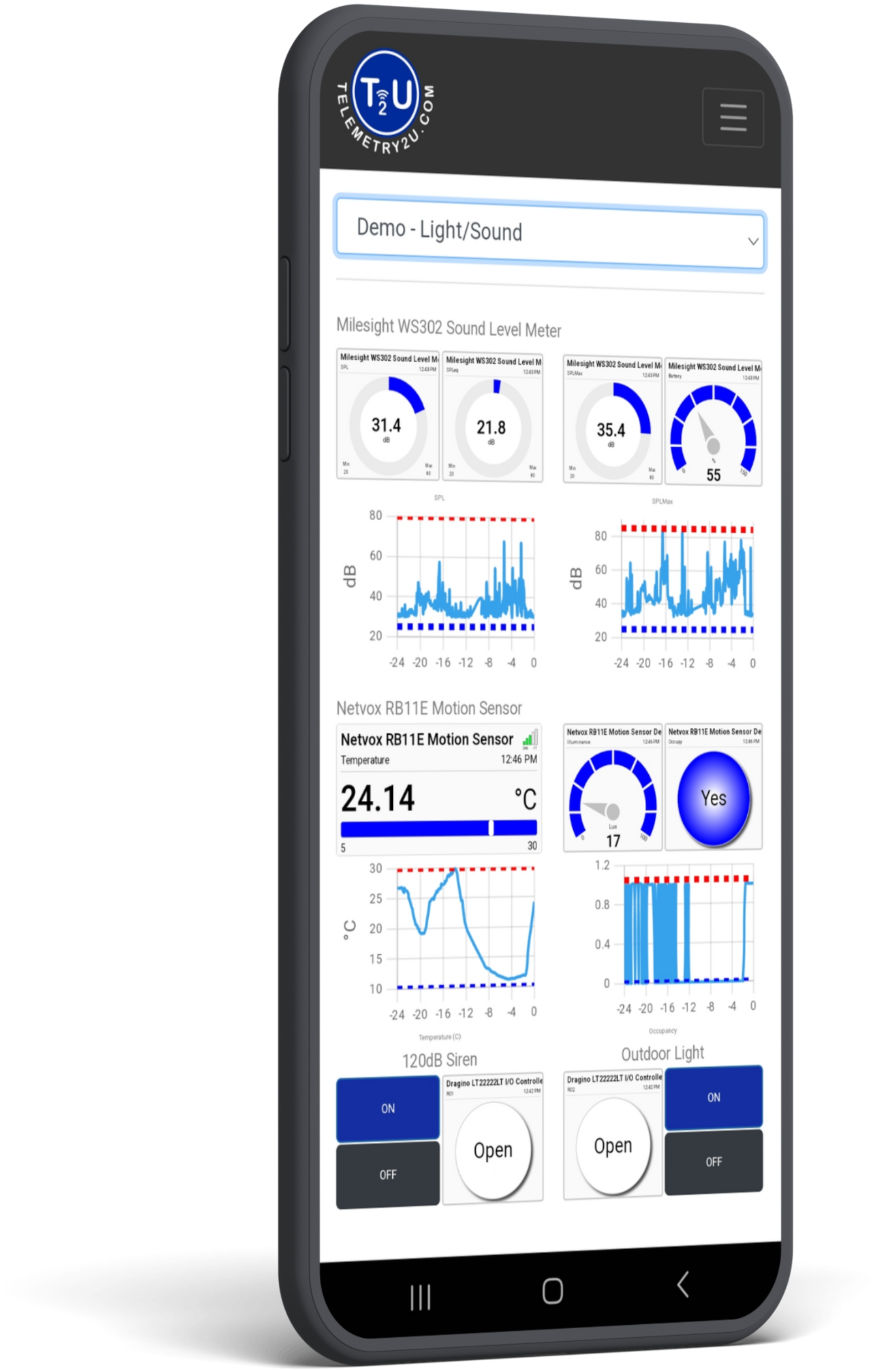
One Platform for Events, Alerts and System Health
Telemetry2U can support simple LoRaWAN home security through to distributed commercial and remote-property monitoring. Compatible sensors report to the platform, where each event can be displayed, stored, analysed and used to notify or automate a response.
- Door, window, gate and movement monitoring: View open, closed, motion and occupancy events from compatible wireless sensors.
- Configurable alert routing: Send email, SMS or voice alerts to selected users, contractors or a nominated monitoring provider according to notification type and time of day.
- Historical security records: Review charts, event timing, opening counts and open-duration information rather than relying on a single notification.
- Gateway and node inactivity alerts: Notify selected groups when a sensor or LoRaWAN gateway stops reporting within the expected period.
- Battery-powered sensor options: Avoid exposed mains cabling at many sensor points and position devices where they are less obvious or difficult to reach.
- User permissions: Restrict access by site, device and platform function for owners, staff, managers and contractors.
- Optional automation: Use alert-driven actions or scheduled commands to trigger compatible sirens, relays or other control equipment.
The platform is Australian hosted and can bring security events together with other site risks such as smoke, water leaks, power conditions and equipment status when those measurements are relevant to the property.
Ready-to-Use Security Sensors and Custom Dry-Contact Integrations
Start with compatible wireless security devices or connect existing sensors and equipment through a dry-contact interface. A dry contact is a simple voltage-free switch output that changes between open and closed states.
Ready-to-Use Wireless Sensors
Practical sensors for common property, access and personal-safety events.
Doors, Windows and Gates
Receive open and closed events from magnetic contacts on doors, windows, gates, cupboards and equipment enclosures.
Movement and Occupancy
Use compatible PIR or occupancy sensors to identify movement in rooms, sheds, offices, storage areas and other monitored zones.
Panic Buttons
A wireless push button can raise a manual alert for duress, reception assistance, after-hours check-in or a site-specific safety procedure. See the panic-button monitoring application.
Assets and Site Conditions
Add GPS or movement tracking, smoke, sound, water-leak and other compatible sensors when physical security and site condition need to be monitored together.
Bring Your Own Contact Sensor
Connect simple on/off outputs without replacing a useful existing sensor or alarm contact.
Pressure Mats
Interface a pressure pad under a mat to report activation through a compatible LoRaWAN, LTE-M or NB-IoT dry-contact device.
Alarm-Panel Relay Outputs
Monitor available voltage-free relay states from an existing alarm panel, such as alarm, armed, fault or other configured outputs.
Cabinet and Equipment Contacts
Monitor switch contacts on tool cabinets, control panels, plant rooms, storage cages and other equipment that must remain closed or secured.
Dragino CPL03-LB Dry-Contact Interface
The Dragino CPL03-LB can connect a compatible voltage-free contact to LoRaWAN and report contact state, activation counts and open-duration information to Telemetry2U.
From a Security Event to the Right Response
Telemetry2U connects detection, notification, historical review and optional automation. Notification groups let administrators choose which users receive email, SMS or voice messages and the hours during which each notification path is active.
Detect, Notify, Review and Act
Detect
A door, motion, pressure-mat, panic-button or dry-contact event is received from the compatible wireless device.
Notify
Notification groups send email, SMS or voice alerts to the appropriate daytime, after-hours or escalation contacts. A nominated monitoring company or external response provider can also be included where an agreed response arrangement is in place.

Review
Users inspect the current state and historical charts, including event timing, open counts, durations and the sequence leading up to an alert.
Act
Staff investigate and record the response. Where configured, an alert can also trigger a compatible siren, relay, controller or external system.
Monitor the Security System as Well as the Property
A security sensor is only useful when it is powered, connected and visible to the people responsible for it. Telemetry2U provides practical controls for device inactivity, resilient LoRaWAN deployments and user access.
Gateway and Node Inactivity Alerts
Configure an expected reporting period and notify selected users when a LoRaWAN gateway or wireless node has not communicated in time. This can reveal a flat battery, coverage issue, power interruption or gateway fault.
Explore device management
Battery-Powered Sensors and Gateway Backup
Many LoRaWAN security sensors run from internal batteries, reducing reliance on local power points and exposed wiring. A suitable LoRaWAN gateway can also be installed with battery backup to support operation through shorter power interruptions.
View LoRaWAN gateways
User Permissions and Multi-Site Access
Give each user access to the devices and platform functions required for their role. An owner can retain company-wide visibility while site managers, staff or contractors are restricted to selected locations and nodes.
Explore user managementUse Telemetry2U as Part of a Complete Security Plan
Telemetry2U is a configurable monitoring, alerting and automation platform. It can route alerts to nominated users, contractors and external response providers, but it does not by itself replace a certified alarm installation, professional security response service or any controls required by an insurer, regulator or site-specific procedure. Customers remain responsible for device selection, coverage, installation, testing, agreed response processes and ongoing maintenance.
LoRaWAN, NB-IoT and LTE-M Security Monitoring Options
The best wireless network depends on the number of sensors, available infrastructure, mobile coverage and whether the devices are concentrated at one property or distributed across many locations.

NB-IoT for Fixed Remote Security Sensors
Compatible NB-IoT sensors connect through a mobile IoT network and do not require an onsite LoRaWAN gateway.
- Useful for fixed holiday homes, sheds, cabinets and isolated assets
- Direct cellular connection where suitable NB-IoT coverage is available
- Well suited to low-data contact and status monitoring
LoRaWAN Home and Site Security
A private LoRaWAN gateway can collect events from many battery-powered sensors across a home, business, farm or larger property.
- One gateway can serve many nearby security and environmental sensors
- Long-range, low-power communication with no SIM required in each sensor
- Gateway backhaul can use Ethernet, Wi-Fi or cellular, with battery backup where appropriate

LTE-M for Distributed Properties and Assets
LTE-M can connect compatible devices directly to Telemetry2U without installing a LoRaWAN gateway at each small or isolated site.
- Suitable for geographically distributed properties and mobile assets
- Direct cellular monitoring where LTE-M coverage is available
- Low-data IoT SIM services, including providers such as 1NCE, can make small deployments practical, subject to device and local network compatibility

Different Networks, One Monitoring Platform
LoRaWAN, LTE-M and NB-IoT devices can be brought into the same Telemetry2U account, allowing security sensors from different properties and connectivity types to share dashboards, notification groups, user permissions and reports.
See Security Events and Historical Data in One Dashboard
Current Status, Event History and Device Health
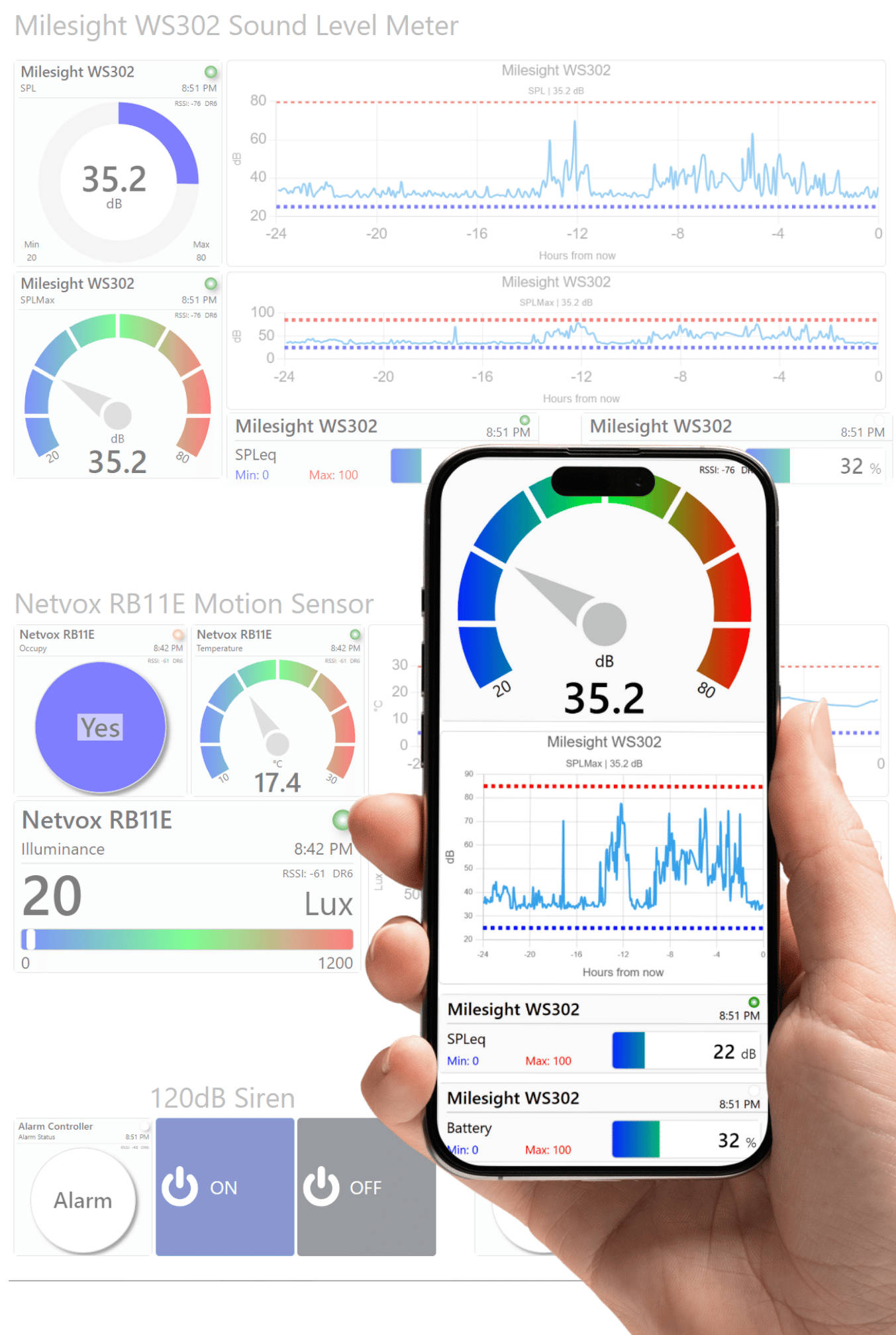
The Telemetry2U dashboard provides a central view of connected security sensors and lets authorised users move from the current state into the historical charts behind an event.
Investigate More Than a Single Alert
Historical records help establish when an event occurred, how long a contact remained open, how often it changed state and whether other sensors reported around the same time. This context is useful when reviewing access, unusual activity or repeated nuisance alerts.
- View live door, movement, contact and other compatible sensor states.
- Review historical charts and event timing from any internet-connected device.
- Examine opening counts and open-duration statistics from compatible contact sensors.
- Check node communication, battery information and gateway status where available.
- Use one dashboard across home, business, rural and remote-property deployments.
Related Security Monitoring Resources
Explore related security applications, platform controls, compatible hardware and connectivity guidance for building a practical Telemetry2U monitoring system.
Security and Safety Applications
Extend monitoring into property access, personal safety and asset protection.
Alerts, Access and Visibility
Configure alert routing, user permissions, dashboards and device-health monitoring.
Sensors and Connectivity
Compare network options and review hardware and integration guidance.
Wireless Security Monitoring FAQ
Answers to common questions about LoRaWAN home security, cellular security sensors, custom contact integrations, notification groups, monitoring providers and system limitations.
Plan a Practical Wireless Security Monitoring System
Tell Telemetry2U what needs to be monitored, where the sites are located and whether you prefer LoRaWAN, direct cellular devices or a mixture of both. We can help identify compatible sensors, contact interfaces, notification workflows and dashboard requirements.